grep 'Stately' files/examples/ulysses.txtStately, plump Buck Mulligan came from the stairhead, bearing a bowl of
Modern Plain Text Social Science:
Week 05
September 2026
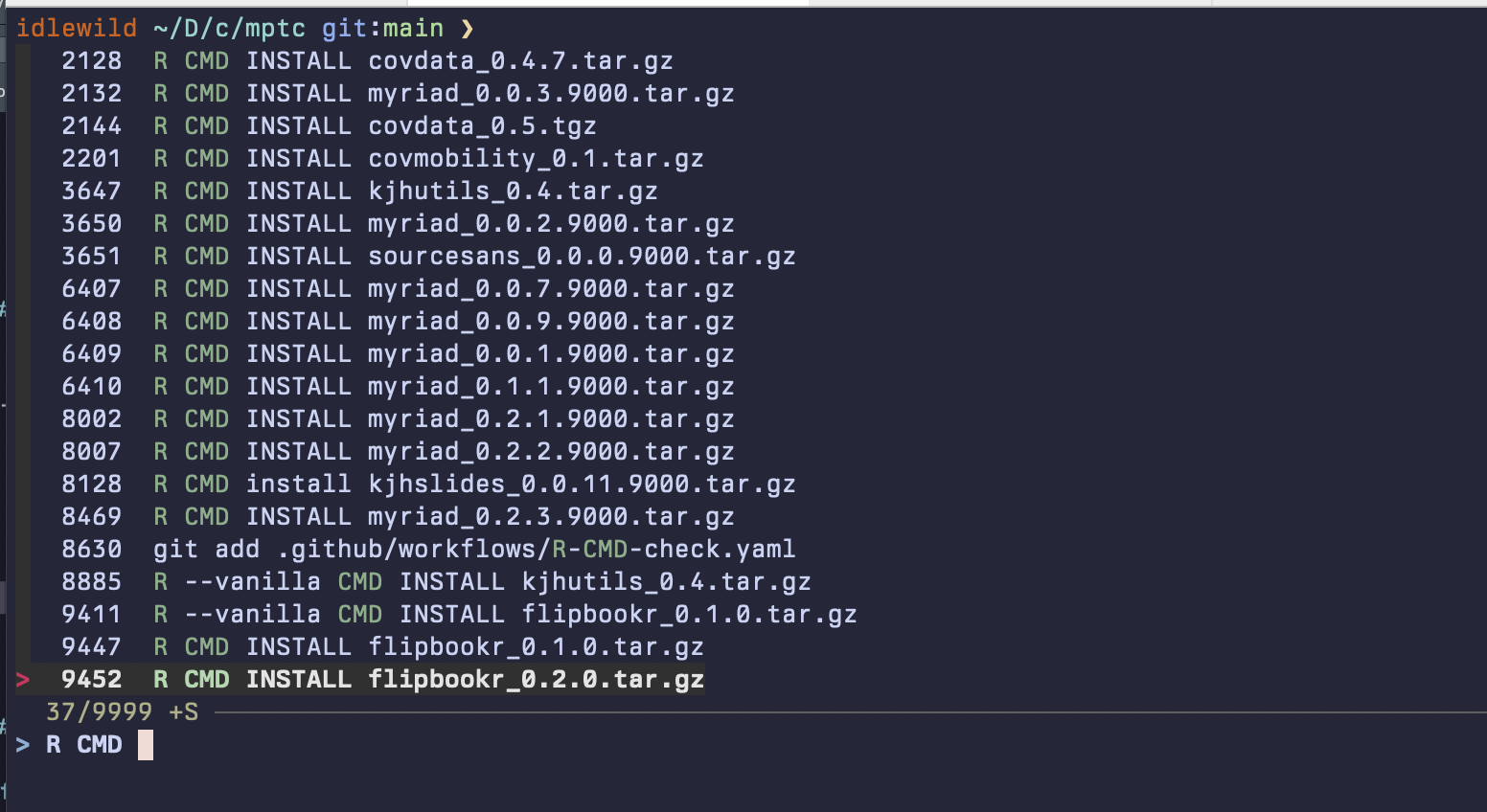
Eventually you will accumulate a history of shell commands you have typed, many of which you may want to reuse from time to time.
↑^R^R will also work for history search at the RStudio console and in many other places.| Symbol | Key | Unicode | Symbol | Key | Unicode |
|---|---|---|---|---|---|
| ⎋ | Escape | U+238B |
⌫ | Backspace | U+232B |
| ⇥ | Tab | U+21E5 |
⌦ | Delete | U+2326 |
| ⇪ | Caps Lock | U+21EA |
⇱ | Home | U+21F1 |
| ⇧ | Shift | U+21E7 |
⇲ | End | U+21F2 |
| ⌃ | Control | U+2303 |
⇞ | Page Up | U+21DE |
| ⌥ | Option/Alt | U+2325 |
⇟ | Page Down | U+21DF |
| ⌘ | Command | U+2318 |
⌤ | Enter | U+2324 |
| ⏎ | Return | U+23CE |
␣ | Space | U+2423 |
grepfind searches file and folder names only. To search inside files we use grep. Or rather we will use a flavor of grep called egrep.
Stately, plump Buck Mulligan came from the stairhead, bearing a bowl of
Search more than one file:
files/examples/jabberwocky.txt:“Beware the Jabberwock, my son!
files/examples/jabberwocky.txt:      The Jabberwock, with eyes of flame,
files/examples/jabberwocky.txt:“And hast thou slain the Jabberwock?
files/examples/ulysses.txt:jabber on their girdles: roguewords, tough nuggets patter in their
grep familygrep and its derivatives are very powerful thanks to their ability to use regular expressions. We will learn about those momentarily. There are also more recent command-line search tools like ripgrep, or rg, a modern version of grep that is very fast, automatically searches subfolders, and has other nice additional features. For more details see the ripgrep project page.
rg and fzffzf is a command-line fuzzy-finder. It makes ^R really powerful and convenient. For details see the fzf project page.
Or,
Waiter, there appears to be a language inside my language

Regexps are their own world of text processing
☜ This book is a thing of beauty.
We’ll look at regular expressions via R, but most of the same things apply to the shell as well.
To detect text, to extract it, to replace or transform it.
A regular expression is a way of searching for a piece of text, or pattern, inside some larger body of text, called a string.
The simplest sort of search is like the “Find” functionality in a Word Processor. The pattern is a literal letter, number, punctuation mark, word or series of words; the text is a document searched one line at a time. The next step up is “Find and Replace”.
Every pattern-searching function in stringr has the same basic form:
Functions that replace as well as detect strings all have this form:
(If you think about it, <STRING>, <PATTERN> and <REPLACEMENT> above are all kinds of pattern: they are meant to “stand for” all kinds of text, not be taken literally.)
str_view() function just displays what your regexp will match in a given string. In practice you will use functions that work in the same way but that actually do something you want, like str_detect() str_replace(), str_extract() or str_squish(). There are a lot of useful str_ functions.This is the price we pay for having to express searches for patterns using a language containing these same characters, which we may also want to search for.
I promise this will pay off
[1] │ <apple> pie
[2] │ <apple>
[3] │ <apple> cake
\d matches any digit.
\s matches any whitespace (e.g. space, tab, newline).
abc matches a, b, or c.
^abc matches anything except a, b, or c.
Look for a literal character that normally has special meaning in a regex:
This works for most (but not all) regex metacharacters: $ . | ? * + ( ) [ {. Unfortunately, a few characters have special meaning even inside a character class and must be handled with backslash escapes. These are ] \ ^ and -
Use parentheses to make the precedence of the ‘or’ operator | clear:
By default regexps use greedy matches. You can make them match the shortest string possible by putting a ? after them. This is often very useful!
By default these are greedy matches. You can make them “lazy”, matching the shortest string possible by putting a ? after them. This is often very useful!
 [1] "apple"             "apricot"           "avocado"
 [4] "banana"            "bell pepper"       "bilberry"
 [7] "blackberry"        "blackcurrant"      "blood orange"
[10] "blueberry"         "boysenberry"       "breadfruit"
[13] "canary melon"      "cantaloupe"        "cherimoya"
[16] "cherry"            "chili pepper"      "clementine"
[19] "cloudberry"        "coconut"           "cranberry"
[22] "cucumber"          "currant"           "damson"
[25] "date"              "dragonfruit"       "durian"
[28] "eggplant"          "elderberry"        "feijoa"
[31] "fig"               "goji berry"        "gooseberry"
[34] "grape"             "grapefruit"        "guava"
[37] "honeydew"          "huckleberry"       "jackfruit"
[40] "jambul"            "jujube"            "kiwi fruit"
[43] "kumquat"           "lemon"             "lime"
[46] "loquat"            "lychee"            "mandarine"
[49] "mango"             "mulberry"          "nectarine"
[52] "nut"               "olive"             "orange"
[55] "pamelo"            "papaya"            "passionfruit"
[58] "peach"             "pear"              "persimmon"
[61] "physalis"          "pineapple"         "plum"
[64] "pomegranate"       "pomelo"            "purple mangosteen"
[67] "quince"            "raisin"            "rambutan"
[70] "raspberry"         "redcurrant"        "rock melon"
[73] "salal berry"       "satsuma"           "star fruit"
[76] "strawberry"        "tamarillo"         "tangerine"
[79] "ugli fruit"        "watermelon"
# A tibble: 3,320 × 13
cid constituency electorate party_name candidate votes vote_share_percent
<chr> <chr> <int> <chr> <chr> <int> <dbl>
1 W07000… Aberavon 50747 Labour Stephen … 17008 53.8
2 W07000… Aberavon 50747 Conservat… Charlott… 6518 20.6
3 W07000… Aberavon 50747 The Brexi… Glenda D… 3108 9.8
4 W07000… Aberavon 50747 Plaid Cym… Nigel Hu… 2711 8.6
5 W07000… Aberavon 50747 Liberal D… Sheila K… 1072 3.4
6 W07000… Aberavon 50747 Independe… Captain … 731 2.3
7 W07000… Aberavon 50747 Green Giorgia … 450 1.4
8 W07000… Aberconwy 44699 Conservat… Robin Mi… 14687 46.1
9 W07000… Aberconwy 44699 Labour Emily Ow… 12653 39.7
10 W07000… Aberconwy 44699 Plaid Cym… Lisa Goo… 2704 8.5
# ℹ 3,310 more rows
# ℹ 6 more variables: vote_share_change <dbl>, total_votes_cast <int>,
# vrank <int>, turnout <dbl>, fname <chr>, lname <chr>
# A tibble: 3,320 × 13
# Groups: constituency [650]
cid constituency electorate party_name candidate votes vote_share_percent
<chr> <chr> <int> <chr> <chr> <int> <dbl>
1 W07000… Aberavon 50747 Labour Stephen … 17008 53.8
2 W07000… Aberavon 50747 Conservat… Charlott… 6518 20.6
3 W07000… Aberavon 50747 The Brexi… Glenda D… 3108 9.8
4 W07000… Aberavon 50747 Plaid Cym… Nigel Hu… 2711 8.6
5 W07000… Aberavon 50747 Liberal D… Sheila K… 1072 3.4
6 W07000… Aberavon 50747 Independe… Captain … 731 2.3
7 W07000… Aberavon 50747 Green Giorgia … 450 1.4
8 W07000… Aberconwy 44699 Conservat… Robin Mi… 14687 46.1
9 W07000… Aberconwy 44699 Labour Emily Ow… 12653 39.7
10 W07000… Aberconwy 44699 Plaid Cym… Lisa Goo… 2704 8.5
# ℹ 3,310 more rows
# ℹ 6 more variables: vote_share_change <dbl>, total_votes_cast <int>,
# vrank <int>, turnout <dbl>, fname <chr>, lname <chr>
# A tibble: 650 × 13
# Groups: constituency [650]
cid constituency electorate party_name candidate votes vote_share_percent
<chr> <chr> <int> <chr> <chr> <int> <dbl>
1 W07000… Aberavon 50747 Labour Stephen … 17008 53.8
2 W07000… Aberconwy 44699 Conservat… Robin Mi… 14687 46.1
3 S14000… Aberdeen No… 62489 Scottish … Kirsty B… 20205 54
4 S14000… Aberdeen So… 65719 Scottish … Stephen … 20388 44.7
5 S14000… Aberdeenshi… 72640 Conservat… Andrew B… 22752 42.7
6 S14000… Airdrie & S… 64008 Scottish … Neil Gray 17929 45.1
7 E14000… Aldershot 72617 Conservat… Leo Doch… 27980 58.4
8 E14000… Aldridge-Br… 60138 Conservat… Wendy Mo… 27850 70.8
9 E14000… Altrincham … 73096 Conservat… Graham B… 26311 48
10 W07000… Alyn & Dees… 62783 Labour Mark Tami 18271 42.5
# ℹ 640 more rows
# ℹ 6 more variables: vote_share_change <dbl>, total_votes_cast <int>,
# vrank <int>, turnout <dbl>, fname <chr>, lname <chr>
# A tibble: 650 × 13
cid constituency electorate party_name candidate votes vote_share_percent
<chr> <chr> <int> <chr> <chr> <int> <dbl>
1 W07000… Aberavon 50747 Labour Stephen … 17008 53.8
2 W07000… Aberconwy 44699 Conservat… Robin Mi… 14687 46.1
3 S14000… Aberdeen No… 62489 Scottish … Kirsty B… 20205 54
4 S14000… Aberdeen So… 65719 Scottish … Stephen … 20388 44.7
5 S14000… Aberdeenshi… 72640 Conservat… Andrew B… 22752 42.7
6 S14000… Airdrie & S… 64008 Scottish … Neil Gray 17929 45.1
7 E14000… Aldershot 72617 Conservat… Leo Doch… 27980 58.4
8 E14000… Aldridge-Br… 60138 Conservat… Wendy Mo… 27850 70.8
9 E14000… Altrincham … 73096 Conservat… Graham B… 26311 48
10 W07000… Alyn & Dees… 62783 Labour Mark Tami 18271 42.5
# ℹ 640 more rows
# ℹ 6 more variables: vote_share_change <dbl>, total_votes_cast <int>,
# vrank <int>, turnout <dbl>, fname <chr>, lname <chr>
# A tibble: 650 × 2
constituency party_name
<chr> <chr>
1 Aberavon Labour
2 Aberconwy Conservative
3 Aberdeen North Scottish National Party
4 Aberdeen South Scottish National Party
5 Aberdeenshire West & Kincardine Conservative
6 Airdrie & Shotts Scottish National Party
7 Aldershot Conservative
8 Aldridge-Brownhills Conservative
9 Altrincham & Sale West Conservative
10 Alyn & Deeside Labour
# ℹ 640 more rows
library(tidyverse)
library(ukelection2019)
ukvote2019 |>
group_by(constituency) |>
slice_max(votes) |>
ungroup() |>
select(constituency, party_name) |>
mutate(shire = str_detect(constituency, "shire"),
field = str_detect(constituency, "field"),
dale = str_detect(constituency, "dale"),
pool = str_detect(constituency, "pool"),
ton = str_detect(constituency, "(ton$)|(ton )"),
wood = str_detect(constituency, "(wood$)|(wood )"),
saint = str_detect(constituency, "(St )|(Saint)"),
port = str_detect(constituency, "(Port)|(port)"),
ford = str_detect(constituency, "(ford$)|(ford )"),
by = str_detect(constituency, "(by$)|(by )"),
boro = str_detect(constituency, "(boro$)|(boro )|(borough$)|(borough )"),
ley = str_detect(constituency, "(ley$)|(ley )|(leigh$)|(leigh )"))# A tibble: 650 × 14
constituency party_name shire field dale pool ton wood saint port ford
<chr> <chr> <lgl> <lgl> <lgl> <lgl> <lgl> <lgl> <lgl> <lgl> <lgl>
1 Aberavon Labour FALSE FALSE FALSE FALSE FALSE FALSE FALSE FALSE FALSE
2 Aberconwy Conservat… FALSE FALSE FALSE FALSE FALSE FALSE FALSE FALSE FALSE
3 Aberdeen No… Scottish … FALSE FALSE FALSE FALSE FALSE FALSE FALSE FALSE FALSE
4 Aberdeen So… Scottish … FALSE FALSE FALSE FALSE FALSE FALSE FALSE FALSE FALSE
5 Aberdeenshi… Conservat… TRUE FALSE FALSE FALSE FALSE FALSE FALSE FALSE FALSE
6 Airdrie & S… Scottish … FALSE FALSE FALSE FALSE FALSE FALSE FALSE FALSE FALSE
7 Aldershot Conservat… FALSE FALSE FALSE FALSE FALSE FALSE FALSE FALSE FALSE
8 Aldridge-Br… Conservat… FALSE FALSE FALSE FALSE FALSE FALSE FALSE FALSE FALSE
9 Altrincham … Conservat… FALSE FALSE FALSE FALSE FALSE FALSE FALSE FALSE FALSE
10 Alyn & Dees… Labour FALSE FALSE FALSE FALSE FALSE FALSE FALSE FALSE FALSE
# ℹ 640 more rows
# ℹ 3 more variables: by <lgl>, boro <lgl>, ley <lgl>
library(tidyverse)
library(ukelection2019)

ukvote2019 |>
group_by(constituency) |>
slice_max(votes) |>
ungroup() |>
select(constituency, party_name) |>
mutate(shire = str_detect(constituency, "shire"),
field = str_detect(constituency, "field"),
dale = str_detect(constituency, "dale"),
pool = str_detect(constituency, "pool"),
ton = str_detect(constituency, "(ton$)|(ton )"),
wood = str_detect(constituency, "(wood$)|(wood )"),
saint = str_detect(constituency, "(St )|(Saint)"),
port = str_detect(constituency, "(Port)|(port)"),
ford = str_detect(constituency, "(ford$)|(ford )"),
by = str_detect(constituency, "(by$)|(by )"),
boro = str_detect(constituency, "(boro$)|(boro )|(borough$)|(borough )"),
ley = str_detect(constituency, "(ley$)|(ley )|(leigh$)|(leigh )")) |>
pivot_longer(shire:ley, names_to = "toponym")# A tibble: 7,800 × 4
constituency party_name toponym value
<chr> <chr> <chr> <lgl>
1 Aberavon Labour shire FALSE
2 Aberavon Labour field FALSE
3 Aberavon Labour dale FALSE
4 Aberavon Labour pool FALSE
5 Aberavon Labour ton FALSE
6 Aberavon Labour wood FALSE
7 Aberavon Labour saint FALSE
8 Aberavon Labour port FALSE
9 Aberavon Labour ford FALSE
10 Aberavon Labour by FALSE
# ℹ 7,790 more rows
place_tab <- ukvote2019 |>
  group_by(constituency) |>
  slice_max(votes) |>
  ungroup() |>
  select(constituency, party_name) |>
  # We could write these more efficiently but we don't care about that rn
  mutate(shire = str_detect(constituency, "shire"),
         field = str_detect(constituency, "field"),
         dale = str_detect(constituency, "dale"),
         pool = str_detect(constituency, "pool"),
         ton = str_detect(constituency, "(ton$)|(ton )"),
         wood = str_detect(constituency, "(wood$)|(wood )"),
         saint = str_detect(constituency, "(St )|(Saint)"),
         port = str_detect(constituency, "(Port)|(port)"),
         ford = str_detect(constituency, "(ford$)|(ford )"),
         by = str_detect(constituency, "(by$)|(by )"),
         boro = str_detect(constituency, "(boro$)|(boro )|(borough$)|(borough )"),
         ley = str_detect(constituency, "(ley$)|(ley )|(leigh$)|(leigh )")) |>
pivot_longer(shire:ley, names_to = "toponym")# A tibble: 7,800 × 4
constituency party_name toponym value
<chr> <chr> <chr> <lgl>
1 Aberavon Labour shire FALSE
2 Aberavon Labour field FALSE
3 Aberavon Labour dale FALSE
4 Aberavon Labour pool FALSE
5 Aberavon Labour ton FALSE
6 Aberavon Labour wood FALSE
7 Aberavon Labour saint FALSE
8 Aberavon Labour port FALSE
9 Aberavon Labour ford FALSE
10 Aberavon Labour by FALSE
# ℹ 7,790 more rows
# A tibble: 7,800 × 4
# Groups:   party_name, toponym [120]
   constituency party_name toponym value
   <chr>        <chr>      <chr>   <lgl>
 1 Aberavon     Labour     shire   FALSE
 2 Aberavon     Labour     field   FALSE
 3 Aberavon     Labour     dale    FALSE
 4 Aberavon     Labour     pool    FALSE
 5 Aberavon     Labour     ton     FALSE
 6 Aberavon     Labour     wood    FALSE
 7 Aberavon     Labour     saint   FALSE
 8 Aberavon     Labour     port    FALSE
 9 Aberavon     Labour     ford    FALSE
10 Aberavon     Labour     by      FALSE
# ℹ 7,790 more rows
# A tibble: 6,816 × 4
# Groups:   party_name, toponym [24]
   constituency party_name toponym value
   <chr>        <chr>      <chr>   <lgl>
 1 Aberavon     Labour     shire   FALSE
 2 Aberavon     Labour     field   FALSE
 3 Aberavon     Labour     dale    FALSE
 4 Aberavon     Labour     pool    FALSE
 5 Aberavon     Labour     ton     FALSE
 6 Aberavon     Labour     wood    FALSE
 7 Aberavon     Labour     saint   FALSE
 8 Aberavon     Labour     port    FALSE
 9 Aberavon     Labour     ford    FALSE
10 Aberavon     Labour     by      FALSE
# ℹ 6,806 more rows
# A tibble: 6,816 × 4
# Groups:   toponym, party_name [24]
   constituency party_name toponym value
   <chr>        <chr>      <chr>   <lgl>
 1 Aberavon     Labour     shire   FALSE
 2 Aberavon     Labour     field   FALSE
 3 Aberavon     Labour     dale    FALSE
 4 Aberavon     Labour     pool    FALSE
 5 Aberavon     Labour     ton     FALSE
 6 Aberavon     Labour     wood    FALSE
 7 Aberavon     Labour     saint   FALSE
 8 Aberavon     Labour     port    FALSE
 9 Aberavon     Labour     ford    FALSE
10 Aberavon     Labour     by      FALSE
# ℹ 6,806 more rows
# A tibble: 24 × 3
# Groups:   toponym [12]
   toponym party_name    freq
   <chr>   <chr>        <int>
 1 boro    Conservative     7
 2 boro    Labour           1
 3 by      Conservative     6
 4 by      Labour           2
 5 dale    Conservative     3
 6 dale    Labour           1
 7 field   Conservative    10
 8 field   Labour          10
 9 ford    Conservative    17
10 ford    Labour          12
# ℹ 14 more rows
# A tibble: 24 × 4
# Groups:   toponym [12]
   toponym party_name    freq   pct
   <chr>   <chr>        <int> <dbl>
 1 boro    Conservative     7 0.875
 2 boro    Labour           1 0.125
 3 by      Conservative     6 0.75
 4 by      Labour           2 0.25
 5 dale    Conservative     3 0.75
 6 dale    Labour           1 0.25
 7 field   Conservative    10 0.5
 8 field   Labour          10 0.5
 9 ford    Conservative    17 0.586
10 ford    Labour          12 0.414
# ℹ 14 more rows
# A tibble: 12 × 4
# Groups:   toponym [12]
   toponym party_name    freq   pct
   <chr>   <chr>        <int> <dbl>
 1 boro    Conservative     7 0.875
 2 by      Conservative     6 0.75
 3 dale    Conservative     3 0.75
 4 field   Conservative    10 0.5
 5 ford    Conservative    17 0.586
 6 ley     Conservative    26 0.722
 7 pool    Conservative     2 0.286
 8 port    Conservative     3 0.333
 9 saint   Conservative     3 0.5
10 shire   Conservative    37 0.974
11 ton     Conservative    37 0.507
12 wood    Conservative     7 0.636
# A tibble: 12 × 4
# Groups:   toponym [12]
   toponym party_name    freq   pct
   <chr>   <chr>        <int> <dbl>
 1 shire   Conservative    37 0.974
 2 boro    Conservative     7 0.875
 3 by      Conservative     6 0.75
 4 dale    Conservative     3 0.75
 5 ley     Conservative    26 0.722
 6 wood    Conservative     7 0.636
 7 ford    Conservative    17 0.586
 8 ton     Conservative    37 0.507
 9 field   Conservative    10 0.5
10 saint   Conservative     3 0.5
11 port    Conservative     3 0.333
12 pool    Conservative     2 0.286
# A tibble: 12 × 4
# Groups:   toponym [12]
   toponym party_name    freq   pct
   <chr>   <chr>        <int> <dbl>
 1 shire   Conservative    37 0.974
 2 boro    Conservative     7 0.875
 3 by      Conservative     6 0.75
 4 dale    Conservative     3 0.75
 5 ley     Conservative    26 0.722
 6 wood    Conservative     7 0.636
 7 ford    Conservative    17 0.586
 8 ton     Conservative    37 0.507
 9 field   Conservative    10 0.5
10 saint   Conservative     3 0.5
11 port    Conservative     3 0.333
12 pool    Conservative     2 0.286